A cheap printer with expensive ink is not a cheap printer. The ink system decides what you pay for years, duplex and a document feeder decide how much work it saves you, and the Wi-Fi band decides how painful setup is. Here are the 10 best home printers of 2026, from refillable tank workhorses to the definitive cheap starter.
We do not accept paid sponsorships. If you buy through our links we earn a small commission from Amazon, at no extra cost to you.
Jump to your case
Swipe sideways · tap to open the full review
The full rankingTank printers first, then the best cartridge machines. Open “Learn more” only if you want the technical detail.
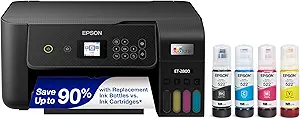
Epson EcoTank ET-2800
- Cartridge-free tanks cut ink costs by up to 90 percent
- Prints, scans and copies over wireless
- Largest review base in its class
The printer that fixes the number one complaint about printers. Instead of cartridges, big refillable tanks fed by cheap bottles, with the ink in the box rated for up to two years of typical home printing before the first refill.
- Ink system
- Refillable tank
- Ink in box
- Up to 2 yrs
- Duplex
- Manual

Availability changes through the day. Check the listing.
Learn more
The ET-2800 leads this list because it attacks the real cost of owning a printer: the ink. Its bottle-fed tanks print thousands of pages for what a single round of cartridges costs elsewhere, text output is crisp, wireless setup runs smoothly through Epson's app, and the flatbed covers routine scans and copies. The tradeoffs at this position are the absence of an automatic document feeder and of auto duplex, which the cartridge picks further down do offer. For families printing homework, forms and photos regularly, the long-term ink math is unbeatable, and the largest review base in its class backs that up.
Pros
- Dramatically lower ink cost than any cartridge printer
- Ink in the box covers years of typical home use
- Most reviewed tank printer on this list
Cons
- No automatic two-sided printing or document feeder
Best for: households that print regularly and are tired of buying cartridges.
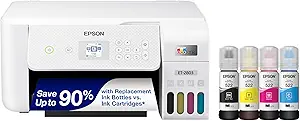
Epson EcoTank ET-2803
- Same tank system in a white finish
- AirPrint for effortless iPhone printing
- Slightly higher buyer rating than its sibling
The same machine as the winner, in white, with AirPrint called out on the listing. It actually edges the black version on average buyer rating, and only a smaller review base keeps it from the top spot.
- Ink system
- Refillable tank
- AirPrint
- Yes
- Duplex
- Manual
Learn more
Everything that makes the top pick compelling applies here: bottle-fed tanks instead of cartridges, wireless printing from phones and laptops, and a flatbed for scans and copies. The differences are the white finish, explicit Apple AirPrint support, and a slightly better average rating from a smaller crowd of buyers. If you prefer white hardware or run an iPhone-first household, this is the version to grab; if you want maximum proven track record, the black sibling above has it.
Pros
- Highest buyer rating of the two EcoTank picks
- AirPrint makes iPhone printing effortless
- Same near-zero ink running costs as the top pick
Cons
- Smaller review base than its black sibling
Best for: Apple households that want the EcoTank system in a white finish.
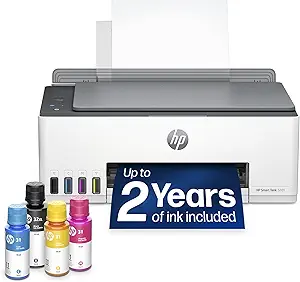
HP Smart Tank 5101
- Ships with up to 2 years of ink
- No subscription required
- Prints, scans and copies over Wi-Fi
HP's answer to the EcoTanks, and the cheapest path into tank printing here. A generous supply of bottled ink comes in the box, and buyers praise the sharp black text HP's thermal heads produce.
- Ink system
- Refillable tank
- Wi-Fi
- 2.4GHz only
- Duplex
- Manual
Learn more
The Smart Tank 5101 typically undercuts both EcoTank picks on price while running the same core idea: refill from inexpensive bottles, forget cartridges. Once the tanks are filled, owners describe a simple, maintenance-light experience with crisp document output. Two caveats keep it off the top spots: it connects only on the older 2.4GHz Wi-Fi band, which can add a setup step with newer mesh routers, and its average rating runs below the Epson pair, with some buyers reporting friction in the HP app during setup. As a lower-cost gateway into tank printing from a major brand, it earns the podium.
Pros
- Cheapest path into refillable tank printing here
- Generous bundled ink supply in the box
- Crisp text output for documents
Cons
- 2.4GHz-only Wi-Fi can complicate setup on newer routers
- Lower average rating than the Epson tanks
Best for: buyers who want tank-printer ink savings at a lower entry price.
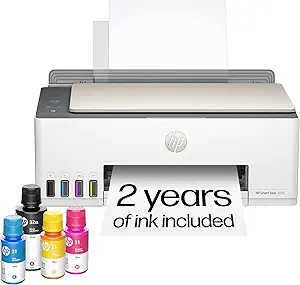
HP Smart Tank 5000
- Same tank platform, earlier version
- One of Amazon's most purchased tank printers
- Cartridge-free with bundled bottled ink
The earlier sibling of the 5101, often at a genuine bargain price. Same refillable-tank concept, same long-lasting bundled ink, and consistently one of the most purchased printers on Amazon.
- Ink system
- Refillable tank
- Sales
- Best seller
- Duplex
- Manual
Learn more
The 5000 matches its successor on rating and on everyday performance for documents, homework and household paperwork; for most buyers the generational differences are invisible in daily use. The practical advice is simple: compare the price of this model against the 5101 above on the day you buy, because the newer one sometimes costs about the same. Whenever the 5000 comes in cheaper, it is the lowest-cost door into tank printing on this entire list, with sales volume that speaks for itself.
Pros
- Often the lowest-cost tank printer on this list
- Massive sales volume on Amazon
- Same ink economics as the newer 5101
Cons
- Older generation of the same platform as the 5101
Best for: bargain hunters who want tank-printer economics from a proven best seller.
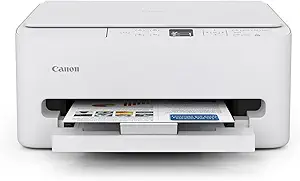
Canon PIXMA TS6520
- Auto duplex at 14 pages per minute
- OLED display and intuitive controls
- Highest buyer rating on this list
The buyer-satisfaction champion of the whole ranking. Dual-band Wi-Fi, an OLED screen, auto two-sided printing that the tank picks skip, and a 3-year warranty that is rare for a home printer.
- Ink system
- Cartridge
- Duplex
- Auto
- Warranty
- 3 years
Learn more
Crossing from the tank side of the list to the cartridge side, the TS6520 wins on polish: a small OLED screen and sensible controls, dual-band Wi-Fi that joins modern routers without the workarounds cheaper models need, and automatic two-sided printing at 14 pages per minute. Canon's two-cartridge hybrid ink system keeps replacements simpler than juggling four separate colors. The single reason it sits fifth rather than higher is per-page ink cost, which no cartridge machine can match against the tanks above. For light-to-moderate printing where the experience matters more than the ink math, this is the pick.
Pros
- Best-rated printer on this list
- Auto duplex and dual-band Wi-Fi at a fair price
- Long 3-year manufacturer warranty
Cons
- Cartridge ink costs more per page than the tank picks above
Best for: light-to-moderate printers who value a smooth, reliable experience over ink math.
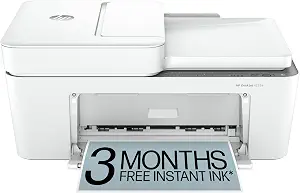
HP DeskJet 4255e
- Built-in document feeder
- 3-month Instant Ink trial included
- Compact all-in-one
The rare budget printer with a document feeder on top of the flatbed. Multi-page contracts and school packets scan in one pass instead of page by page, and the Instant Ink trial ships cartridges before you run dry.
- Ink system
- Cartridge
- Doc feeder
- Yes
- Duplex
- Manual
Learn more
What sets the 4255e apart from the Canon above is the feeder: at this price, being able to drop a stack of pages and scan them in one pass is genuinely rare. HP bundles a free trial of its Instant Ink subscription, which monitors levels and ships replacements automatically, a real convenience for people who hate ink emergencies, though it converts to a paid plan if you do not cancel before the trial ends. Connectivity is single-band 2.4GHz Wi-Fi, and its rating sits in the middling range typical of HP's budget line. As an occasional-use family machine with real scanning chops, it holds its own.
Pros
- Document feeder is rare at this price point
- Instant Ink trial ships cartridges automatically
- Compact footprint fits small desks
Cons
- Instant Ink converts to a paid subscription unless canceled
- 2.4GHz-only Wi-Fi
Best for: households that scan multi-page documents and want hands-off ink delivery.
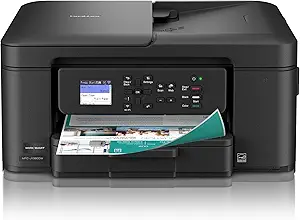
Brother Work Smart 1360
- Auto duplex with a 1.8" color display
- Document feeder included
- Affordable LC501 series inks
Brother's famous dependability, aimed at the home office. Two-sided printing plus a proper document feeder plus a small color screen, with one of the more reasonably priced cartridge ecosystems from a major brand.
- Ink system
- Cartridge
- Duplex
- Auto
- Doc feeder
- Yes
Learn more
Brother built its reputation on printers that simply keep working, and the 1360 carries that DNA into the home segment. Reviewers repeatedly highlight dependable Wi-Fi and low-drama day-to-day operation, the qualities that matter most a year into ownership, and unlike the HP above it pairs its feeder with automatic two-sided printing. The small color screen means copies and scans do not require picking up your phone. A trial of Brother's optional ink refresh subscription comes with the listing, but the LC501 cartridges are affordable enough that many owners never need it.
Pros
- Brother's trademark long-haul reliability
- Two-sided printing plus a document feeder
- Reasonably priced cartridge ecosystem
Cons
- Plainer, more utilitarian design than the picks above
Best for: home offices that prioritize dependability over looks.
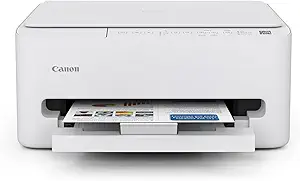
Canon PIXMA TS4320
- One of Amazon's most purchased printers
- Auto duplex with dual-band Wi-Fi
- 100-sheet tray in a compact body
The Canon experience for less. The little sibling of the TS6520 keeps duplex, dual-band Wi-Fi and the generous warranty, trading the OLED screen for a lower price and a phone-first workflow.
- Ink system
- Cartridge
- Duplex
- Auto
- Tray
- 100 sheets
Learn more
The TS4320 quietly ranks among the most purchased printers on Amazon, and it is easy to see why: it inherits the TS6520's core strengths, two-sided output, modern dual-band wireless and Canon's straightforward mobile app, in a simpler, cheaper body. The rating dips slightly versus its bigger sibling, mostly reflecting the barebones controls and the smaller paper tray. If you liked the sound of the Canon above, print from your phone anyway, and want to spend less, this is the natural pick.
Pros
- Enormous sales volume on Amazon
- Keeps duplex and modern Wi-Fi from its pricier sibling
- Same generous Canon warranty coverage
Cons
- No display, so most tasks route through the phone app
Best for: buyers who want the Canon experience at a lower price and print from their phone anyway.
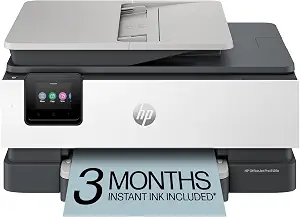
HP OfficeJet Pro 8125e
- Fastest here at 20 ppm in black
- 225-sheet tray with auto duplex and ADF
- Touchscreen with dual-band Wi-Fi
The strongest raw hardware on this list. Faster than everything above it, more than double the paper capacity of the compact picks, with a touchscreen, a feeder and auto duplex in one machine.
- Speed
- 20 ppm
- Tray
- 225 sheets
- Duplex
- Auto + ADF
Learn more
On specs alone the 8125e could argue for a podium spot: it out-prints everything above it, holds far more paper, and combines touchscreen, feeder and double-siding in one unit. It sits ninth because its buyer rating is the lowest here, with a consistent pattern of complaints about HP's software, account requirements and subscription nudges souring an otherwise strong printer. For a busy home office that prints in volume and is willing to manage the software side, the hardware value is genuinely excellent; for everyone else, the picks above are the calmer ownership experience.
Pros
- Best speed and paper capacity on this list
- Touchscreen, feeder and duplex in one machine
- Strong hardware value for high-volume printing
Cons
- Lowest buyer rating here, driven by software and subscription complaints
Best for: high-volume home offices that value hardware specs over software polish.
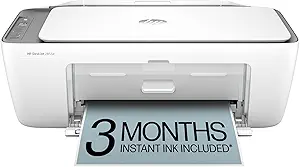
HP DeskJet 2855e
- One of Amazon's best-selling inkjets
- Lowest price on this list
- Prints, scans and copies in a tiny footprint
The definitive cheap starter printer. A review count approaching twenty thousand, an entry price that often runs below a set of replacement cartridges elsewhere, and the smallest footprint here.
- Ink system
- Cartridge
- Footprint
- Smallest
- Duplex
- Manual
Learn more
The 2855e closes the list as the lowest-commitment way to own a printer at all. It covers the true basics, printing, scanning and copying over Wi-Fi, in a body small enough for a dorm shelf, and includes the same Instant Ink trial as its HP siblings. The limitations are exactly what the price implies: 2.4GHz-only networking, no two-sided printing, and per-page ink costs that run high without the subscription. As a first printer for a student or a print-twice-a-month household, the entry cost is very hard to beat.
Pros
- Cheapest pick here and a category best seller
- Tiny footprint fits a dorm shelf
- Covers all the basics wirelessly
Cons
- High ink cost per page without the subscription plan
- 2.4GHz-only Wi-Fi and no auto duplex
Best for: students and very occasional printers who want the lowest upfront cost.
Side-by-side comparisonFilter by what you need and compare on one screen.
| Model | Ink system | Duplex | Standout feature | Score | Review |
|---|---|---|---|---|---|
| 1. Epson EcoTank ET-2800Best overall | Refillable tank | No | Ink in box lasts up to 2 years | 9.8 | Open |
| 2. Epson EcoTank ET-2803Apple pick | Refillable tank | No | AirPrint-ready, white finish | 9.6 | Open |
| 3. HP Smart Tank 5101Cheapest tank | Refillable tank | No | Lowest-cost tank entry | 9.3 | Open |
| 4. HP Smart Tank 5000 | Refillable tank | No | High-volume best seller | 9.0 | Open |
| 5. Canon PIXMA TS6520Best rated | Cartridge | Auto | Best rated + 3-year warranty | 8.8 | Open |
| 6. HP DeskJet 4255e | Cartridge | No | Document feeder at budget price | 8.5 | Open |
| 7. Brother Work Smart 1360 | Cartridge | Auto | Duplex + ADF reliability | 8.2 | Open |
| 8. Canon PIXMA TS4320 | Cartridge | Auto | Duplex + dual-band Wi-Fi for less | 7.9 | Open |
| 9. HP OfficeJet Pro 8125e | Cartridge | Auto | Fastest: 20 ppm, 225-sheet tray | 7.6 | Open |
| 10. HP DeskJet 2855eLowest price | Cartridge | No | Smallest, cheapest starter | 7.3 | Open |
Swipe the table sideways →
Which printer actually fits youThe wrong ink system costs more than the printer itself over two years.
Find your printer
No sign-up. The recommendation updates instantly.
Light printing with cheap ink: the lowest-cost tank pick here, so occasional pages never turn into cartridge bills.
Open the HP Smart Tank 5000Guidance based on the 10 models in this ranking. Always confirm current pricing on the listing before deciding between sibling models.
Where the ink money actually goesInk system, Wi-Fi band and paper handling per model, the details that surface after the box is open.
| Model | Ink system | Wi-Fi band | Doc feeder | Running cost profile |
|---|---|---|---|---|
| Epson EcoTank ET-2800 | Refillable tank | Wi-Fi | No | Bottles, lowest per page |
| Epson EcoTank ET-2803 | Refillable tank | Wi-Fi + AirPrint | No | Bottles, lowest per page |
| HP Smart Tank 5101 | Refillable tank | 2.4GHz only | No | Bottles, no subscription |
| HP Smart Tank 5000 | Refillable tank | 2.4GHz only | No | Bottles, no subscription |
| Canon PIXMA TS6520 | Cartridge, hybrid | Dual-band | No | 2 cartridges to replace |
| HP DeskJet 4255e | Cartridge | 2.4GHz only | Yes | Instant Ink trial included |
| Brother Work Smart 1360 | Cartridge | Wi-Fi | Yes | Affordable LC501 inks |
| Canon PIXMA TS4320 | Cartridge, hybrid | Dual-band | No | 2 cartridges to replace |
| HP OfficeJet Pro 8125e | Cartridge | Dual-band | Yes | Subscription-leaning software |
| HP DeskJet 2855e | Cartridge | 2.4GHz only | No | High per page without plan |
Swipe the table sideways →
Before you check out
Ink subscription trials like HP Instant Ink auto-renew into paid monthly plans unless you cancel before the trial ends, so set a calendar reminder the day the printer arrives. And if your home runs a newer mesh router, check the Wi-Fi band column above: 2.4GHz-only models still work on virtually any network, but you may need to join the 2.4GHz network from your phone during setup, which is the step that trips up most buyers.
Set it up right on day oneMost one-star printer reviews describe a bad first hour, not a bad printer.
- Fill or install the ink before anything elseOn tank models, fill every tank completely and let the printer run its first-time ink charge without interruption; it can take several minutes and must not be cut short. On cartridge models, remove every piece of protective tape.
- Connect over the right Wi-Fi bandIf setup cannot find the printer, your phone is probably on the 5GHz network while the printer only speaks 2.4GHz. Join the 2.4GHz network on your phone, finish setup, then switch back.
- Print and scan a test page immediatelyRun one print, one copy and one scan while the return window is fresh. A streaky first page on an inkjet usually resolves with one head-cleaning cycle from the app.
- Decide about the subscription nowIf your printer came with an Instant Ink or similar trial and you do not want it, cancel it the same day and the trial still runs its course. Future you will not remember in three months.
Keep it healthy afterwards
Infrequent use is the leading cause of clogged nozzles on any inkjet. Print a page or two every couple of weeks, keep the printer out of dusty corners, and use the manufacturer's ink. If prints turn streaky, run the head-cleaning utility once before assuming the printer is broken; it resolves most mild clogs at the cost of a little ink.
Which one to choose for each situation
- Printing regularly and tired of cartridge pricesEpson EcoTank ET-2800, the most proven tank printer here. Open the review
- An Apple household that prefers whiteEpson EcoTank ET-2803, with AirPrint and the top rating of the tank picks. Open the review
- Tank-printer savings at a lower entry priceHP Smart Tank 5101, the cheapest new tank pick here. Open the review
- Tank economics from a proven best sellerHP Smart Tank 5000, one of Amazon's most purchased tank printers. Open the review
- The smoothest overall experience for light printingCanon PIXMA TS6520, the best-rated pick on this list. Open the review
- Scanning multi-page documents oftenHP DeskJet 4255e, with a document feeder at a budget price. Open the review
- Long-haul dependability for a home officeBrother Work Smart 1360, built in Brother's reliable tradition. Open the review
- The Canon experience for lessCanon PIXMA TS4320, one of Amazon's most purchased printers. Open the review
- Speed and paper capacity for heavy useHP OfficeJet Pro 8125e, the strongest raw hardware here. Open the review
- The lowest upfront cost for occasional printingHP DeskJet 2855e, a category best seller. Open the review
Tank, cartridge or subscription: which system is yours
The biggest decision in this category is not the brand, it is how the printer gets its ink. Pick the wrong system for your habits and the printer costs you several times its price over its lifetime.
- Refillable tanks (ranks 1 to 4). Large built-in reservoirs refilled from inexpensive bottles. Higher upfront price, but a full set of bottles prints thousands of pages for what one round of cartridges costs. The math flips in your favor within the first year or two of weekly printing.
- Standard cartridges (ranks 5 to 10). Cheap hardware, sometimes remarkably so, but each replacement set can approach the price of the printer itself. The sensible choice when you print a few times a month and the upfront price matters more than the per-page price.
- Ink subscriptions (HP Instant Ink and similar). A monthly fee tied to page counts, with cartridges shipped automatically before you run dry. Convenient for predictable low-volume printing, but it adds a recurring bill, ties the printer to an account, and trials auto-renew unless canceled.
Upfront price and cost per page: the two numbers that decide everything
Every printer purchase is really two purchases: the machine today and the ink forever. Upfront price is the number on the listing, and the cartridge models at the bottom of this list win it easily. Cost per page is the number nobody prints on the box, and the tank models at the top win it by an order of magnitude, since bottled ink typically costs a fraction of equivalent cartridges for the same pages.
The honest rule of thumb: estimate your real monthly page count first. If you print weekly, a tank printer recovers its higher purchase price within the first year or two and then keeps saving. If you print a few times a month, a cheap cartridge machine or a small subscription plan is the more sensible total spend, because the tank's savings would take years to materialize. Buying the system that matches your habits matters more than any single feature on the spec sheet.
- A few pages a month. Cheap cartridge printer or a small subscription plan. The tank premium never pays back.
- Weekly printing. Tank printer territory. This is where the bottle economics overtake the cartridge model fastest.
- Daily, high-volume printing. A tank printer, or the fastest hardware you can tolerate managing. Paper capacity and duplex start mattering as much as ink.
Frequently asked questions
Are tank printers really cheaper than cartridge printers over time?
For anyone who prints regularly, yes. Refill bottles typically cost a fraction of equivalent cartridges per page, so a tank printer usually recovers its higher purchase price within the first year or two of steady use. For very occasional printing, a cheap cartridge printer can remain the cheaper total option.
What is HP Instant Ink and do I have to use it?
Instant Ink is HP's subscription that monitors your ink levels over the internet and ships replacement cartridges automatically for a monthly fee based on pages printed. It is optional on the printers in this list, but the included free trials convert to paid plans automatically unless you cancel before the trial ends.
Why does my printer need 2.4GHz Wi-Fi and what does that mean?
Several budget printers only support the older 2.4GHz wireless band, not the faster 5GHz band modern routers broadcast alongside it. They still work on virtually any home network, but during setup you may need to connect your phone to the 2.4GHz network temporarily, which is the step that trips up many buyers.
Do inkjet printers dry out if I rarely use them?
Yes, infrequent use is the leading cause of clogged nozzles and streaky prints on any inkjet. Printing a page or two every couple of weeks keeps ink flowing, and most printers include a head-cleaning utility that resolves mild clogs, though it consumes some ink each run.
Can I print from my phone with these printers?
Yes, every printer on this list supports mobile printing through the manufacturer's app, and most also work with AirPrint on iPhones and Mopria or native printing on Android. On models without a screen, the phone app is also how you handle setup and most settings.
Is a laser printer better than an inkjet for home use?
Laser printers excel at high volumes of black-and-white text and never dry out, but they cost more upfront, and color laser models remain expensive. For the typical home mix of documents, school projects and occasional photos, a color inkjet or tank printer covers more needs for less money.
How long should a home printer last?
A well-maintained home inkjet typically serves three to five years, with tank models often lasting longer because owners are not tempted to replace the whole unit when ink runs out. Regular use, dust-free placement and using the manufacturer's ink all extend that lifespan.
How we evaluated these home printers
Our evaluation is editorial. We compare the most searched models on Amazon by cross-referencing manufacturer specifications with the reviews of people who already bought them.
- Cost per page, whether the printer uses refillable tanks, standard cartridges or a subscription plan, and what that actually costs over years of ownership.
- Print quality, how sharp text documents look and how well photos and color graphics reproduce.
- Print speed, pages per minute in real-world use, which matters most for school papers and home office work.
- Scanning and copying, whether the flatbed and any document feeder handle everyday scan and copy jobs smoothly.
- Connectivity and app experience, Wi-Fi reliability, mobile printing support, and how painless setup is from a phone or laptop.
- Duplex and paper handling, automatic two-sided printing, tray capacity and supported paper sizes.
- Cost-to-value ratio, whether the asking price lines up with the features, ink economics and build quality delivered.
No brand pays for placement. Our links are affiliate links: if you buy through them we earn a small commission at no extra cost to you. Learn how we select products.
Conclusion
The right home printer in 2026 comes down to one honest question: how much do you actually print? For weekly printers, the tank models lead the way, with the Epson EcoTank ET-2800 and Epson EcoTank ET-2803 offering the most proven bottle-fed systems, and the HP Smart Tank 5101 and HP Smart Tank 5000 bringing the same economics at lower entry prices.
For lighter printing where the experience matters more than ink math, the Canon PIXMA TS6520 delivers the smoothest and best-rated package here, the HP DeskJet 4255e adds rare document-feeder scanning at a budget price, and the Brother Work Smart 1360 brings that brand's famous dependability to a home office. The Canon PIXMA TS4320 repeats most of the TS6520's strengths for less.
At the value end, the HP OfficeJet Pro 8125e packs the strongest raw hardware on this list for those willing to manage HP's software, and the HP DeskJet 2855e remains the definitive cheap starter for students and rare printing. Match the ink system to your real monthly page count, check your router's Wi-Fi bands, and pick the model on this list that fits how you actually print.